From one trailer to a choice of bars
The Airstream Events case study shows the first site I built for Mark and his family. Couples planning a wedding could see the family’s 1975 trailer set up for guests and check what came with the hire. In 2025 I added an enquiry form so they could ask Mark about their date.
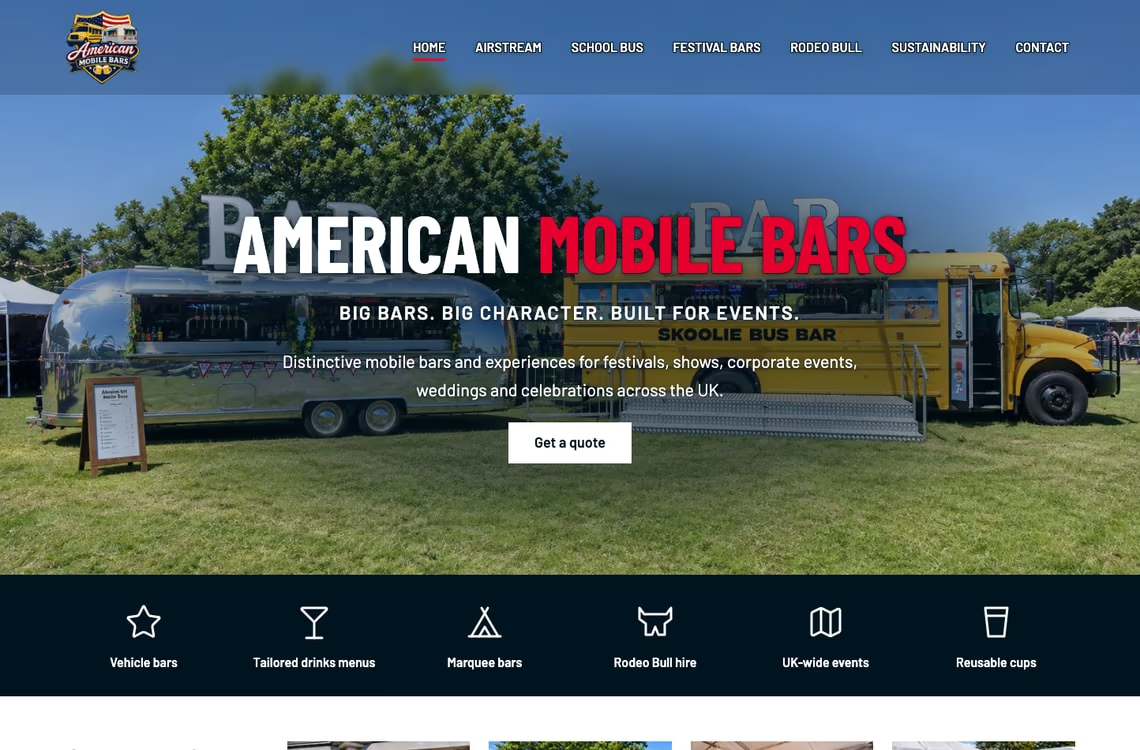
For American Mobile Bars, the first question had changed. An organiser might want the Airstream, a converted American school bus or a freestanding bar for a marquee. Mark also had a rodeo bull for hire. The new homepage shows both vehicles together, then gives each hire option its own photograph and a link to the details.
Helping an organiser check the fit
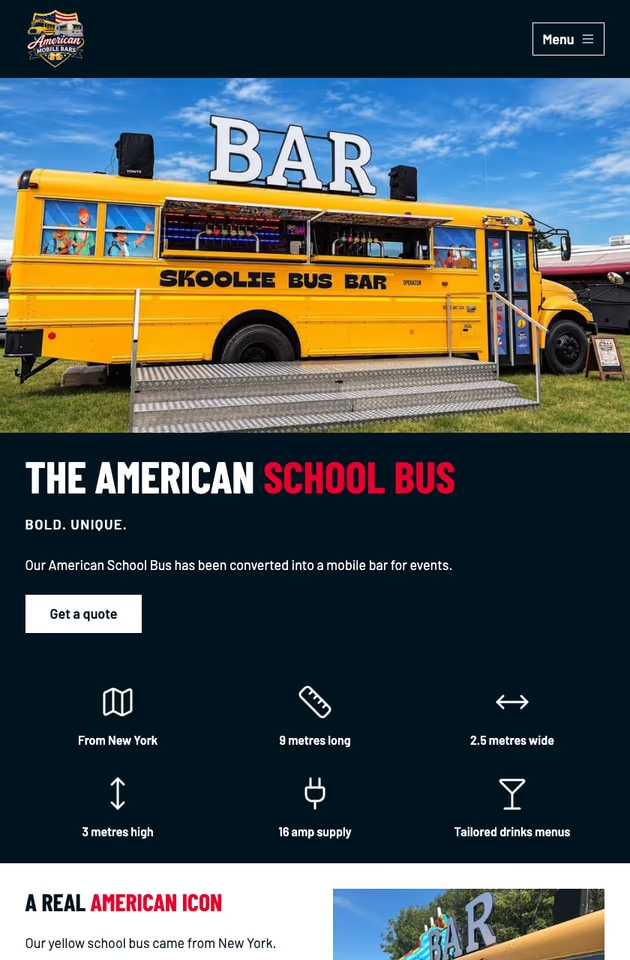
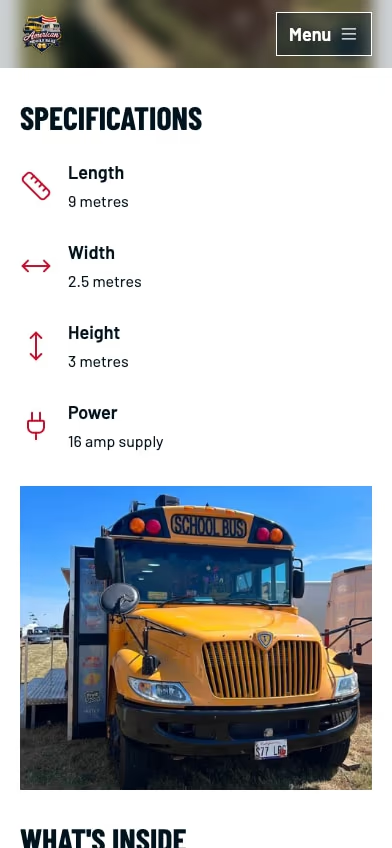
A photograph of the serving hatch tells you where guests will queue. It tells you very little about whether the bus can get into the field. I gave the two vehicle pages the same short list of measurements and power requirements. Someone viewing the school bus on their phone can give the venue manager its height (three metres) and the supply it needs (16 amps).
The festival bars needed a different layout. With a floor plan in hand, an organiser can choose between five, ten or fifteen metres of counter. The page explains that Mark supplies the bar and the organiser arranges the marquee.
From a venue visit to an enquiry
Each bar now has a page Mark can send in reply to an enquiry. It works the other way round, too. An organiser can look up a bar, check the site with their venue and call, email or WhatsApp Mark from that page with their date, location and expected attendance.
Tech used
- Static site generation with Astro
- CSS organised with LSCSS
- CSS processing with PostCSS
- Source code on GitHub
- Hosted on Vercel
- Browser testing with Playwright
Accessibility test results [1]
Automated page checks
axe-core 4.14.0 ·
WCAG 2.2 A and AA rules · Desktop (1366 × 900)
- Homepage 0 violations detected
- Contact 0 violations detected
- Festival bars 0 violations detected
The scan left text contrast for manual review.
[1] In the Government Digital Service’s 2018 comparison, the best-performing tool detected 40% of 142 known issues. On sites I maintain, I review each finding, fix confirmed issues and rerun the same check. In a manual accessibility audit, I check tasks such as navigating a menu by keyboard and completing a form with a screen reader.
Performance and Core Web Vitals
PageSpeed Insights tested the American Mobile Bars homepage on . The mobile and desktop results below come from Lighthouse lab tests. There was too little real-user data for a Core Web Vitals assessment.
Mobile
Performance:
100/100
Accessibility:
100/100
Best practices:
100/100
Search Engine Optimisation:
100/100
Full details
-
Largest Contentful Paint:
1.5s
Success: < 2.5s Warning: 2.6s - 4s Error: > 4s
-
First Contentful Paint:
0.9s
Success: < 1.8s Warning: 1.81s - 3s Error: > 3s
-
Speed Index:
2.2s
Success: <3.4s Warning: 3.5s - 5.8s Error: > 5.8s
-
Cumulative Layout Shift:
0
Success: < 0.1 Warning: 0.11 - 0.25 Error: > 0.25
-
Total Blocking Time:
0ms
Success: < 200ms Warning: 201ms - 600ms Error: > 600ms
-
Page weight:
417KB
Success: < 1.50MB Warning: 1.50MB - 2.23MB Error: > 2.23MB
Desktop
Performance:
100/100
Accessibility:
100/100
Best practices:
100/100
Search Engine Optimisation:
100/100
Full details
-
Largest Contentful Paint:
0.4s
Success: < 2.5s Warning: 2.6s - 4s Error: > 4s
-
First Contentful Paint:
0.2s
Success: < 1.8s Warning: 1.81s - 3s Error: > 3s
-
Speed Index:
0.4s
Success: <3.4s Warning: 3.5s - 5.8s Error: > 5.8s
-
Cumulative Layout Shift:
0
Success: < 0.1 Warning: 0.11 - 0.25 Error: > 0.25
-
Total Blocking Time:
0ms
Success: < 200ms Warning: 201ms - 600ms Error: > 600ms
-
Page weight:
467KB
Success: < 1.50MB Warning: 1.50MB - 2.23MB Error: > 2.23MB
Visit American Mobile Bars or read the launch article for a closer look at the event photography.